
You can determine which version of SharePoint is installed (2010 = 14, 2013 =15 ) with this line
(Get-PSSnapin Microsoft.SharePoint.PowerShell).Version.Major
You can determine which Build is Installed With this line
(get-spfarm).buildversion
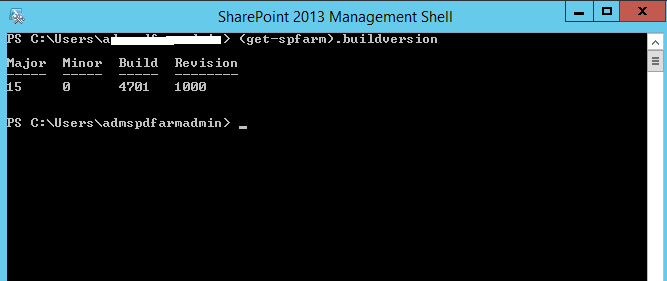
To see the build number friendly names:

Sr. Cloud Solution Architect at Microsoft, I’m passionate about helping customers succeed by building secure, scalable, and innovative cloud solutions – with a strong focus on AI, DevOps practices, and end-to-end security. With a proven track record in the IT and services industry, I serve as a trusted advisor, partnering closely with organizations to guide them through digital transformation and maximize the value of their cloud investments.
My role combines technical leadership with project ownership – from designing modern architectures to leading cross-functional implementations that drive real business outcomes. I also manage and empower strategic partners, working hand-in-hand with them to ensure project success and deliver measurable business impact for customers.