One of my customer got this error after adding a new SMTP domain to mailboxes.
In his case he add the email address directly from the AD to some mailboxes and then got this error when trying to send them an email to the new address.
The solution for his problem was to create a new recipient policy and add to it the new external domain.
Create a new Recipient policy:
GO to Exchange system manager –> first organization –> recipients –> Recipients policies
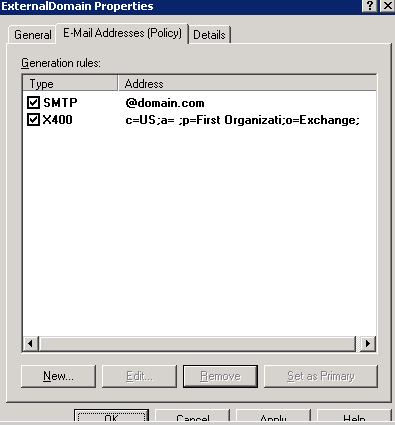
you can add the domain to the default policy if you need to add it to all mailboxes or you can set a new policy for specific mailboxes.
In this case I created a policy for specific mailbox filtered by OU
1. right click on Recipient policy –> New recipient policy
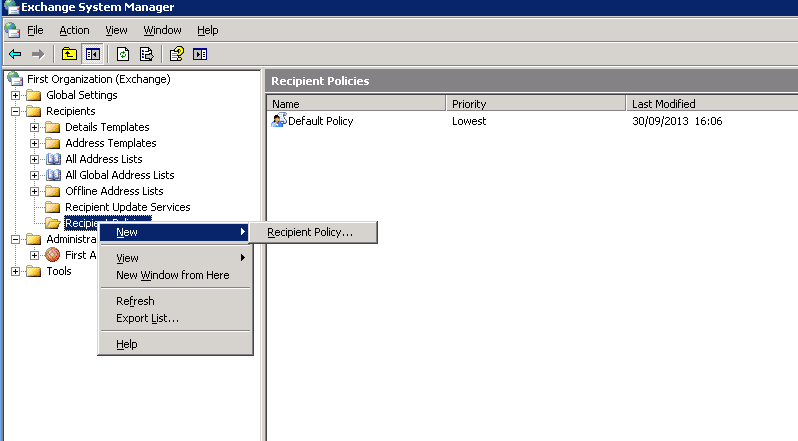
2. Choose – Email address
 \
\
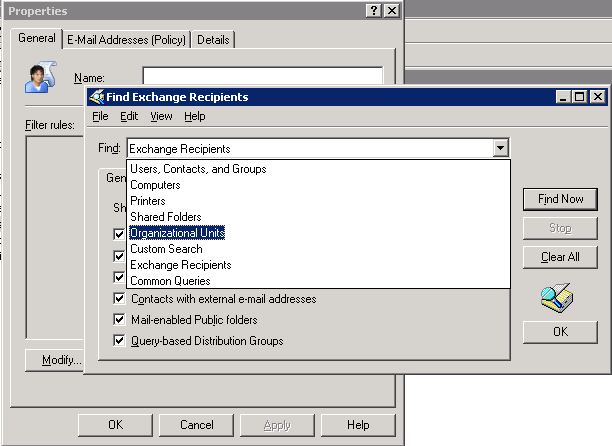
3. Modify –>find –> Organization units
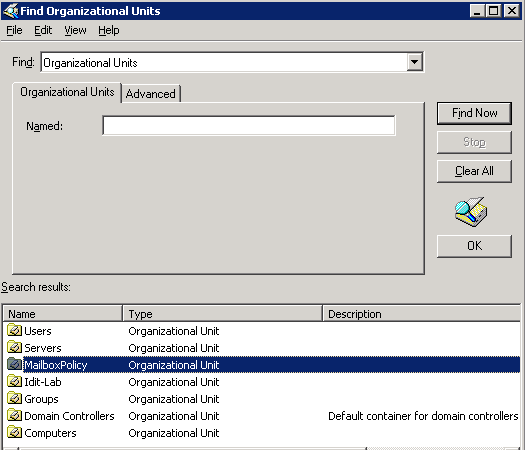
4. Select the OU
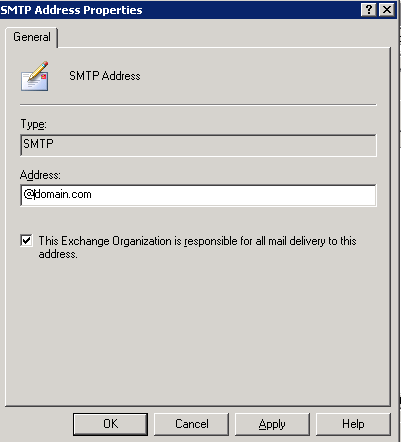
5. New SMTP Address

6. Write @Yourdomain
Good luck!

Sr. Cloud Solution Architect at Microsoft, I’m passionate about helping customers succeed by building secure, scalable, and innovative cloud solutions – with a strong focus on AI, DevOps practices, and end-to-end security. With a proven track record in the IT and services industry, I serve as a trusted advisor, partnering closely with organizations to guide them through digital transformation and maximize the value of their cloud investments. My role combines technical leadership with project ownership – from designing modern architectures to leading cross-functional implementations that drive real business outcomes. I also manage and empower strategic partners, working hand-in-hand with them to ensure project success and deliver measurable business impact for customers.